




Filled Orders Summary Overview & FAQ
Filled Orders Summary
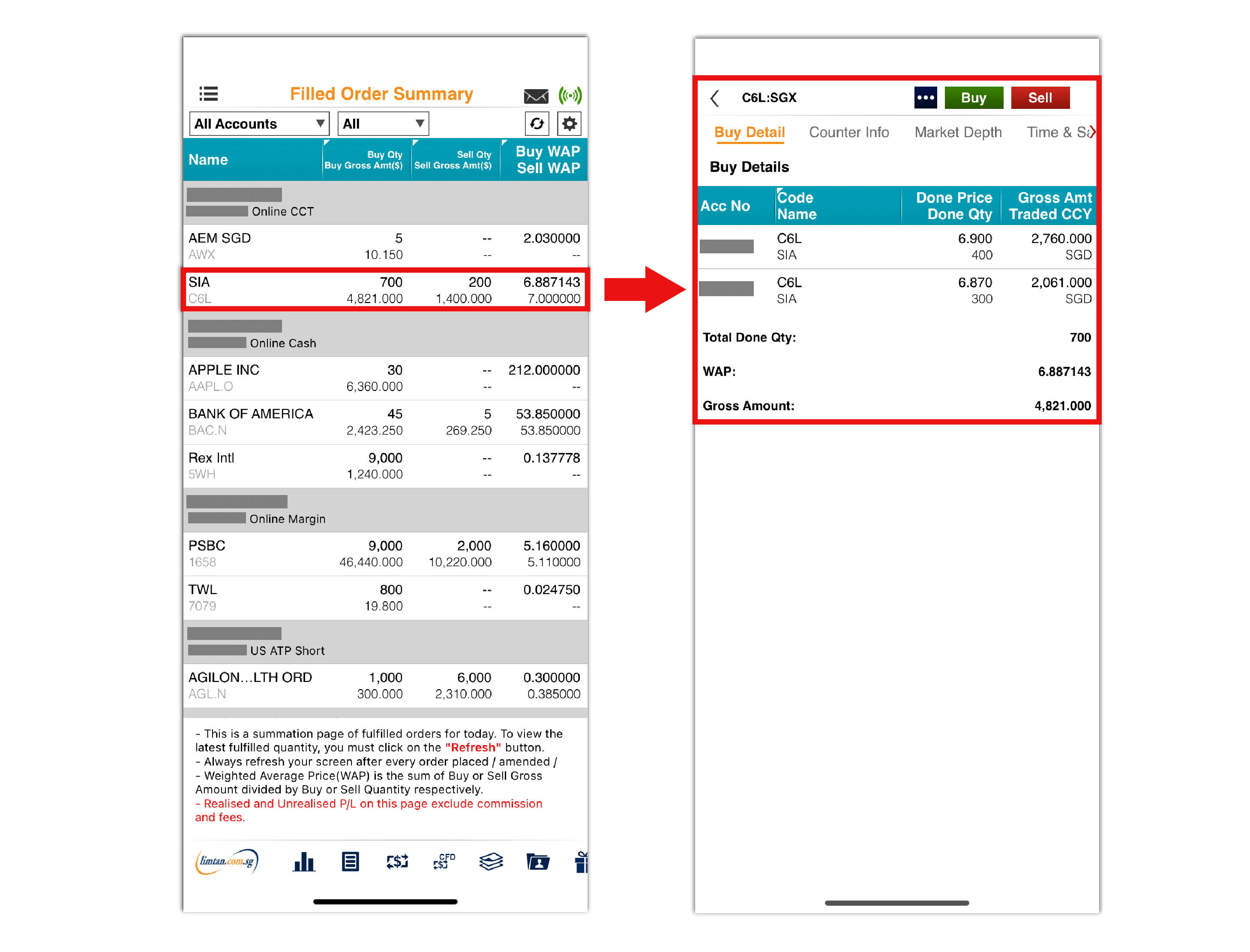
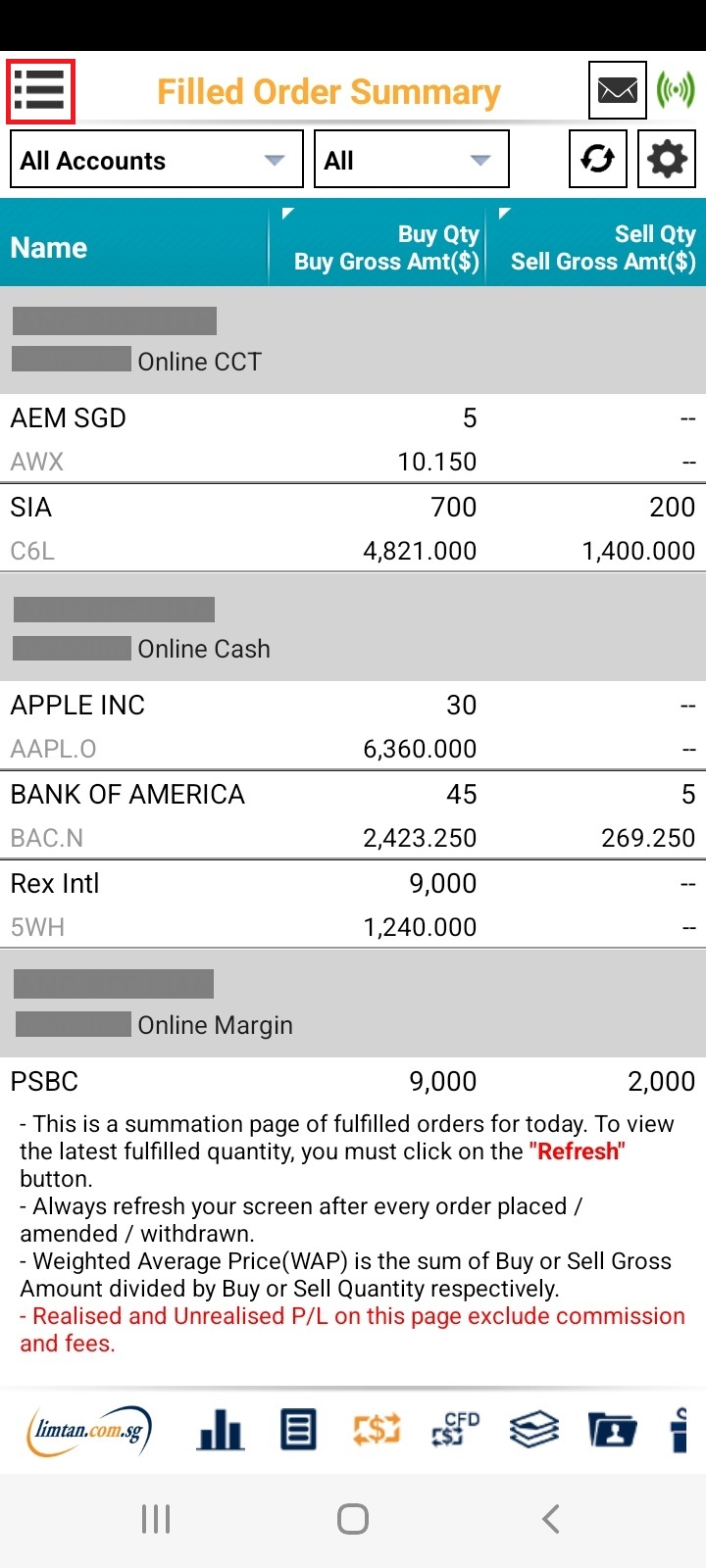
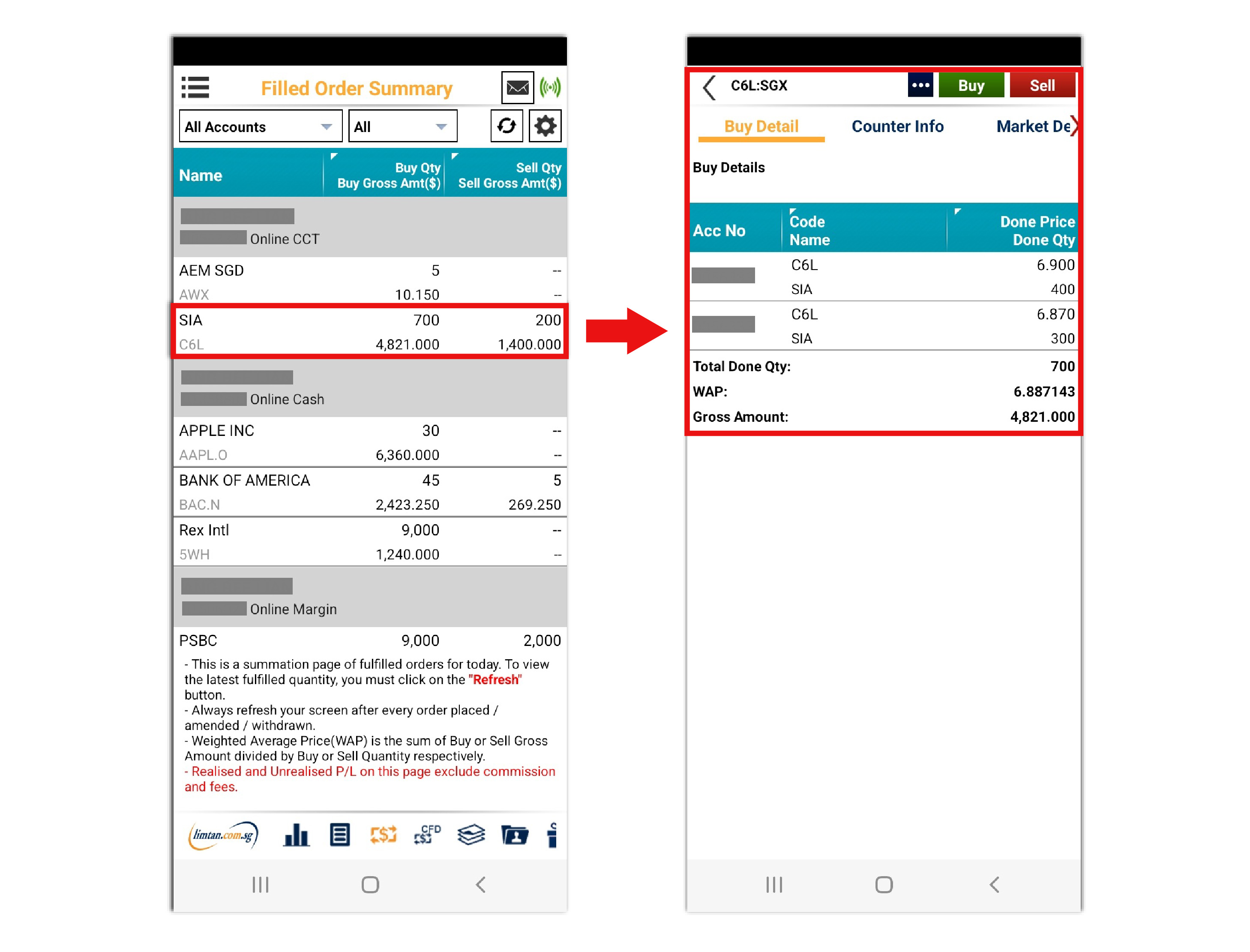
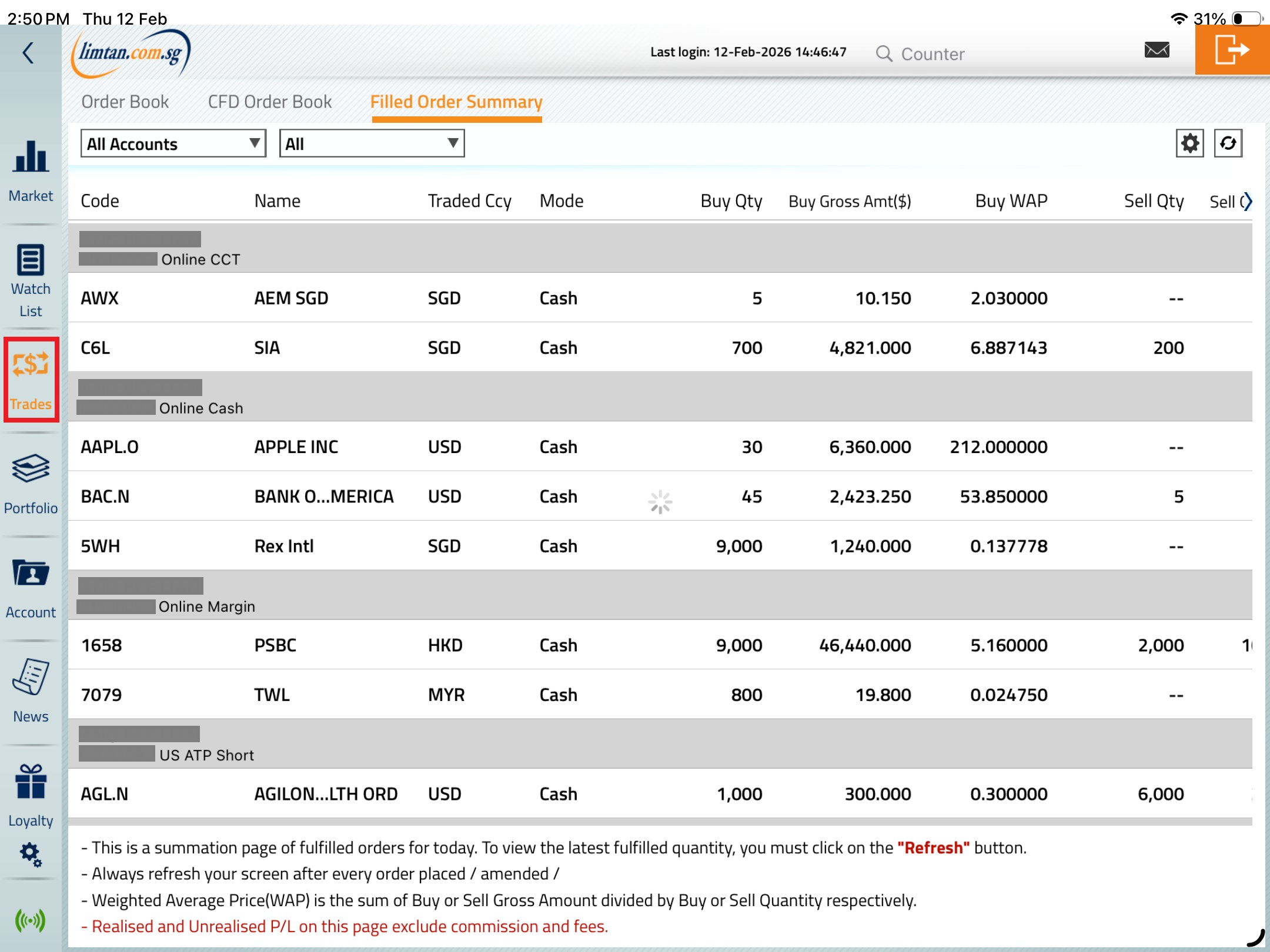
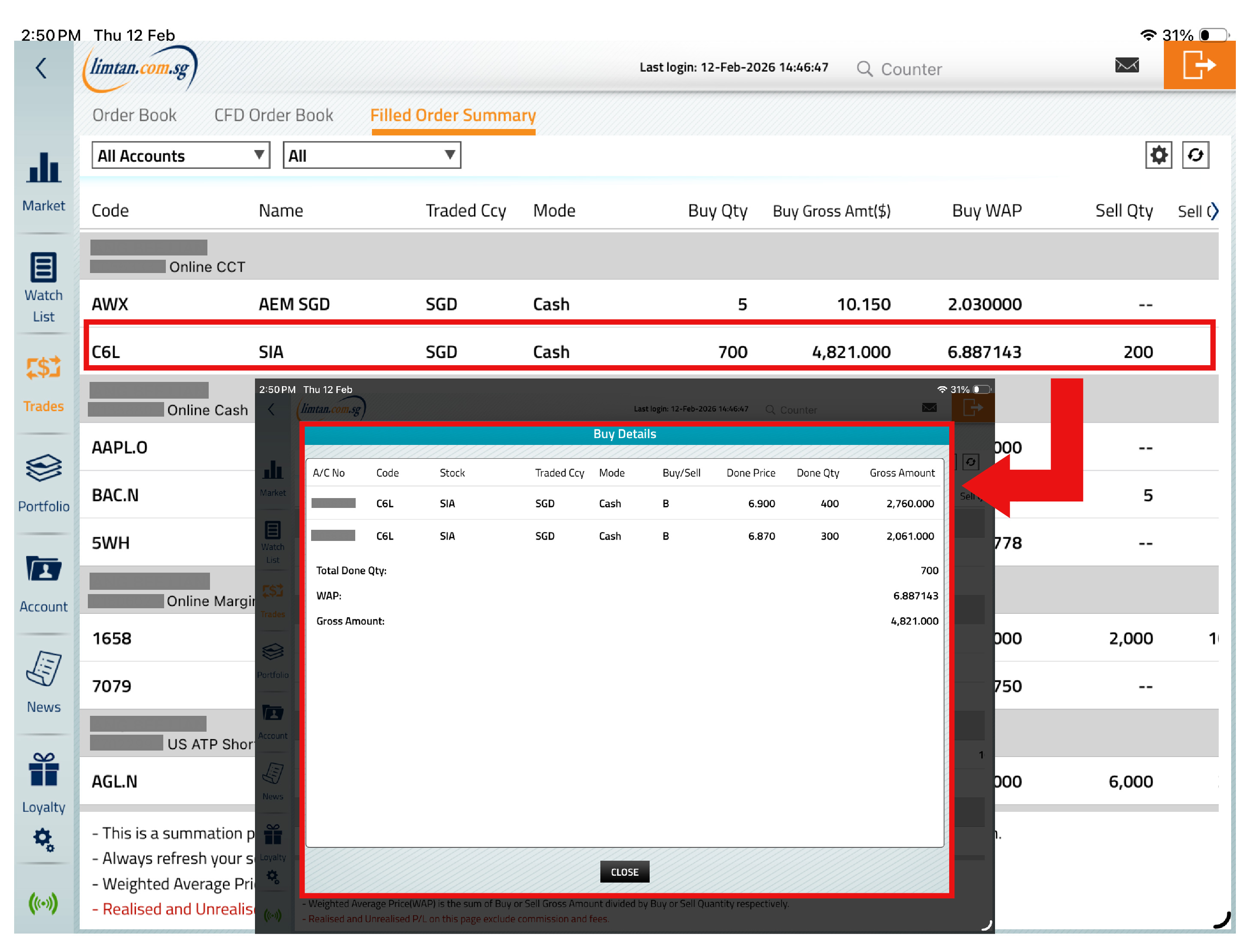
The Filled Order Summary feature on our Online Trading platform provides a convenient way to view your filled trades for the day. Your filled trades for the day will be amalgamated to show the total quantities Bought &/or Sold with the respective weighted average prices* of trades done. By clicking on the respective quantities done, it will show the breakdown of the individual trades.
*The weighted average price (WAP) for Filled Order Summary is calculated based on Fulfilled Price x Quantity. It does not include brokerage and other related fees/charges.
-
01. How to I access Filled Order Summary for the Web Channel?
 To access Filled Order Summary for the web channel, login and go to the menu bar at the top of the page. Select "Trade" and click on "Filled Orders Summary".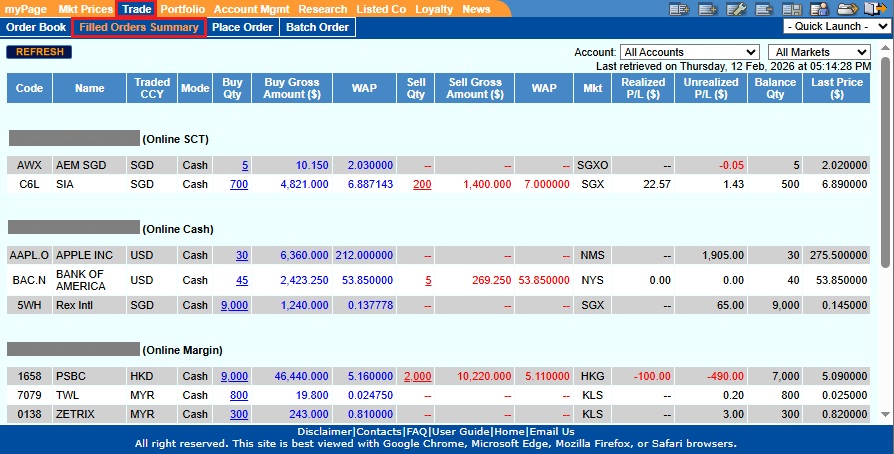
-
02. How do I access Filled Order Summary for the Mobile Channels (iPhone/Android/iPad)?
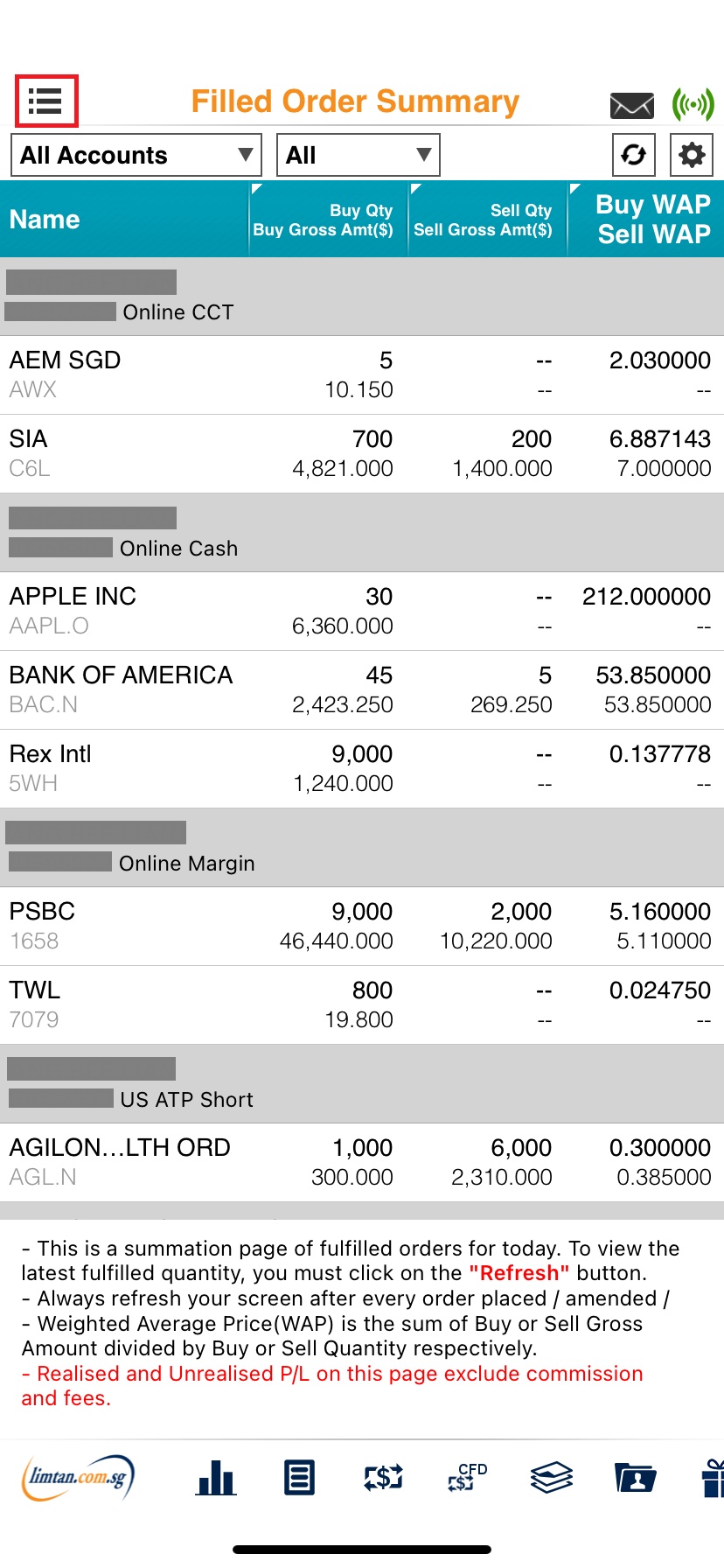
iPhoneTo access Filled Order Summary for the mobile channels, login and go to the menu bar on the left. Tap on "Trades" followed by "Filled Order Summary".
Android
iPad
-
03. Is the Filled Order Summary refreshed daily? Am I able to see previous days trades?
Yes, the page will be refreshed on a daily basis. Hence, you will not be able to see previous day trades. -
04. Up till what time will I be able to view SGX, US and Non-US markets trades in the Filled Order Summary?
Trades done in the SGX and other non-US markets will be available for viewing until 11:59 pm, while trades done in the US markets will be available for viewing until 12:59 pm Singapore time.
Please note that some of the above screenshots may differ for different device models.

This advertisement has not been reviewed by the Monetary Authority of Singapore.